Microsoft SharedView

Microsoft SharedView
License:
Free
Language:
English
Developer:
OS:
WinXP/Vista
Updated:
See detailed info

Softonic review

Nick Mead

“Share and modify documents in real time”

by Nick Mead about Microsoft SharedView

If you working on a team project, then it's much easier to share and collaborate on projects by working in real time rather than sending documents by e-mail. Microsoft SharedView allows you to do this in a fairly straightforward way.

In some ways, this is also a more glorified version of NetMeeting. Microsoft SharedView allows you to hold bigger meetings and conference calls with connections to 15 people in different locations. You can share, review, and update documents with multiple people in real time. If you're already an MSN Live user, the good news is you can also use your Passport Network, Hotmail, and MSN logins to sign in to SharedView.

However, note that audio support is still not available with this beta version. If you want audio during a SharedView session, you can use a telephone call or an instant messaging program that supports Voice over IP

This is a simple program that gives Google Docs a run for it's money although the fact that you have to install it, leaves it a slight disadvantage compared to the former.

Pros
  • Enables you to share and work on documents easily
  • Allows conference calls with up to 15 people
Cons
  • Audio not supported yet
  • Not as easy to share as Google Docs
Free Download Microsoft SharedView 8.0.5725.0 Beta

Microsoft SharedView is virus free

We have analyzed the latest version of Microsoft SharedView with 30 antivirus engines and it is virus free. See analysis results.

TESTED VIRUS FREE - Softonic GUARANTEED

Developer's description

Microsoft SharedView is a fast and easy way to share documents and screen views with small groups of friends or coworkers; anytime, anywhere. Use SharedView to put your heads together and collaborate.

Microsoft SharedView allows you to hold more effective meetings and conference calls with connections to 15 people in different locations. You can share, review, and update documents with multiple people in real time.

Review and rate Microsoft SharedView

Your avatar

Your opinion is important.
Help other users - be the first to review this program.

Review
  1. Maximum: 75 characters

  2. See example

Pros and Cons
Rate
  1. What rating would you give Microsoft SharedView?

    You need to fill in all fields

    • Usability:

      Not rated
    • Stability:

      Not rated
    • Installation:

      Not rated
    • Functionality:

      Not rated
    • Appearance:

      Not rated
    • Overall rating:

      Not rated
  2. Don't worry, we won't make your email address public.

You're not allowed to share serial numbers, cracks, etc. or link to pages that contain them. If you do, your user account will be deleted, your IP address logged and legal action will be taken.

Get started - just ask a question!

Write a title for your question.

Alternativesto Microsoft SharedView

  • In English:
    Remote Support System
    Remote Support System

    Resolve problems on your clients' PCs remotely

    Softonic rating:
    • 8/10
    User rating:
    • 8/10
  • Smaller file:
    Instant Housecall
    Instant Housecall

    View and control remote computers securely

    Softonic rating:
    • 8/10
    User rating:
    • 9/10
Compare with Microsoft SharedView

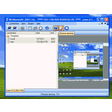
Screenshots from Microsoft SharedView

Download rank: Remote Control

13 of 51

Softonic rating:
  • Excellent
  • 9/10
User rating: (2 ratings)
  • Essential
  • 10/10
Your rating:
Your rating
  • 0

Review and rate this program

Blog posts about Microsoft SharedView

More

Top Downloads: Remote Control

  1. TeamViewer

    Simple, fast and secure desktop sharing

  2. ShowMyPC
  3. Ammyy Admin
  4. TeamViewer Portable
  5. TeamViewer for U3 sticks

Older versions of Microsoft SharedView

Reviews of Microsoft SharedView in other languages